Dashboard & calendar
Your week at a glance — the visual heart of the platform.
What it looks like
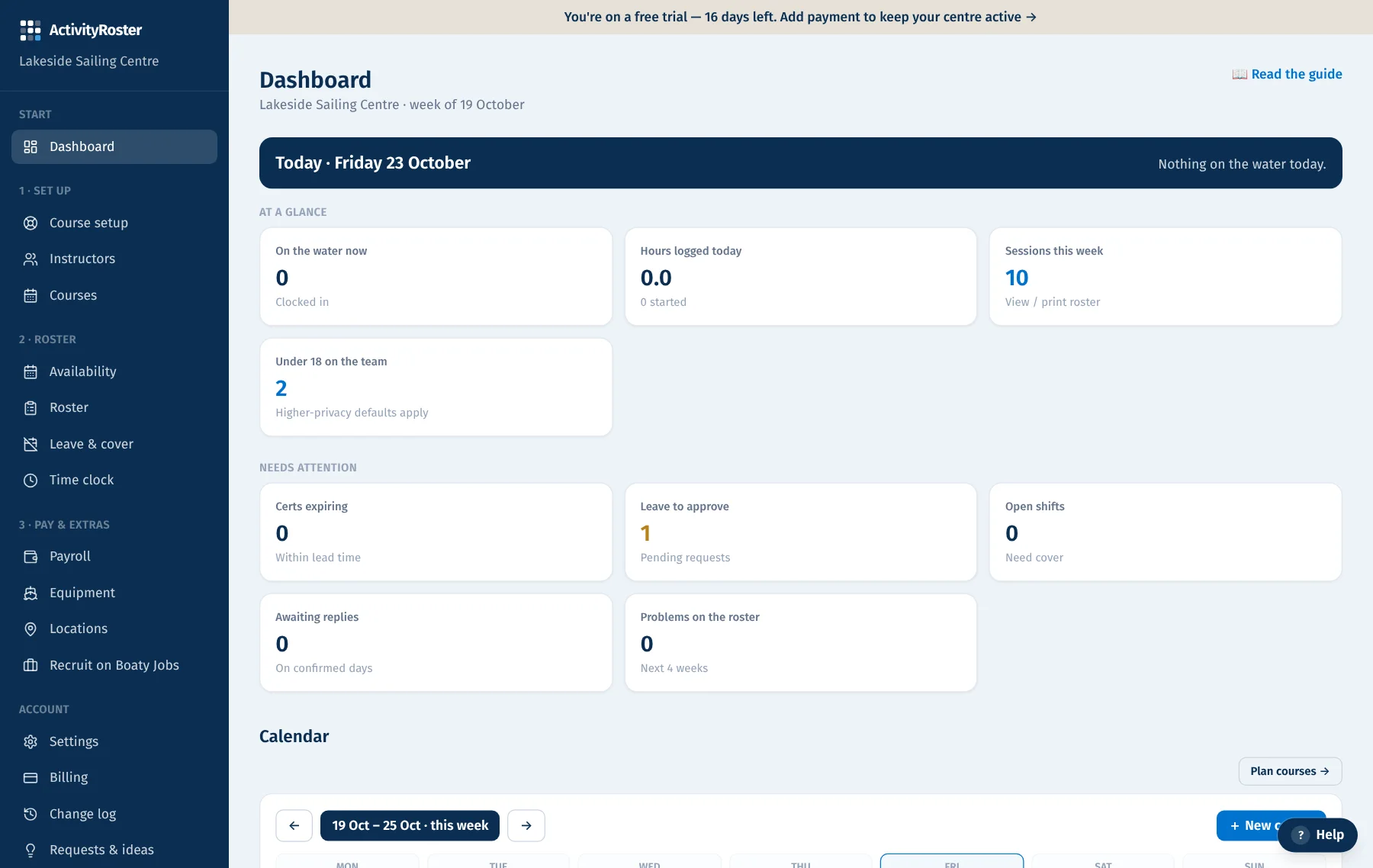
Screens from a made-up centre. Click any screen to see it full size.
The dashboard opens on today: a Today strip with the sessions running, how many people are on, what's uncovered, who can't make it and today's problems, with a link to the emergency sheet. Below it: quick tiles (on the water now, hours logged, sessions this week) and anything needing attention (staff not cleared, checks expiring, courses to cover, leave to approve, open shifts, problems on the roster).
The week calendar
Below the tiles is a colour-coded week calendar — youth courses in amber, adult in teal. Use the ← → buttons to move between weeks, or “This week” to jump back. Click any course block to open it. On a phone the calendar starts folded so the useful parts come first.
This week's roster
Under the calendar is the written roster for the week — every session, who's on it, where and when — with a link to the full printable roster.